The Best Framer Agency Templates in 2026
Eleven Framer agency templates — mostly free, a few premium — compared for creative studios and AI automation agencies that need their site to close the deal.


An agency site has one job: prove you can be trusted with someone else's brand
Before a client hires your studio, your own website is the first project they judge. A Framer agency template shortcuts that problem — clear positioning, a case-study structure that doesn't bury the work, and a path to "let's talk" that doesn't feel like a hard sell. We looked across the Framer Marketplace and pulled eleven worth knowing.
1. Landio — by Framebase

Free, built for AI-forward agencies and automation-driven service businesses — a SaaS-style pitch rather than the traditional agency script.
Best for: Productized service businesses selling retainers, not one-off projects.
2. Viper — by Westhill Studio
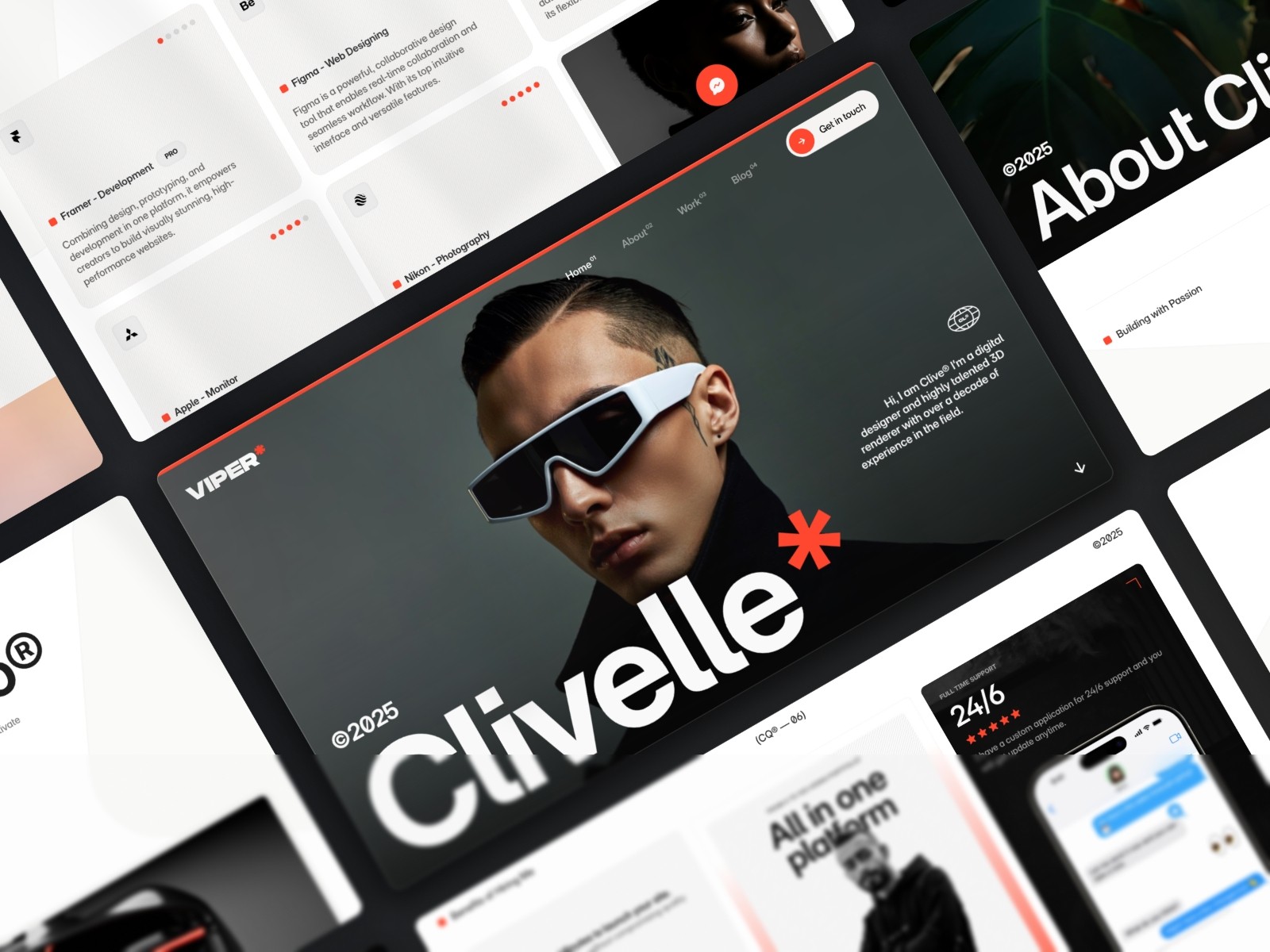
Free, with 175K+ marketplace views — one of the most battle-tested free templates on the platform.
Best for: Small studios wanting a proven, no-cost base.
3. Portfolite — by Framebase
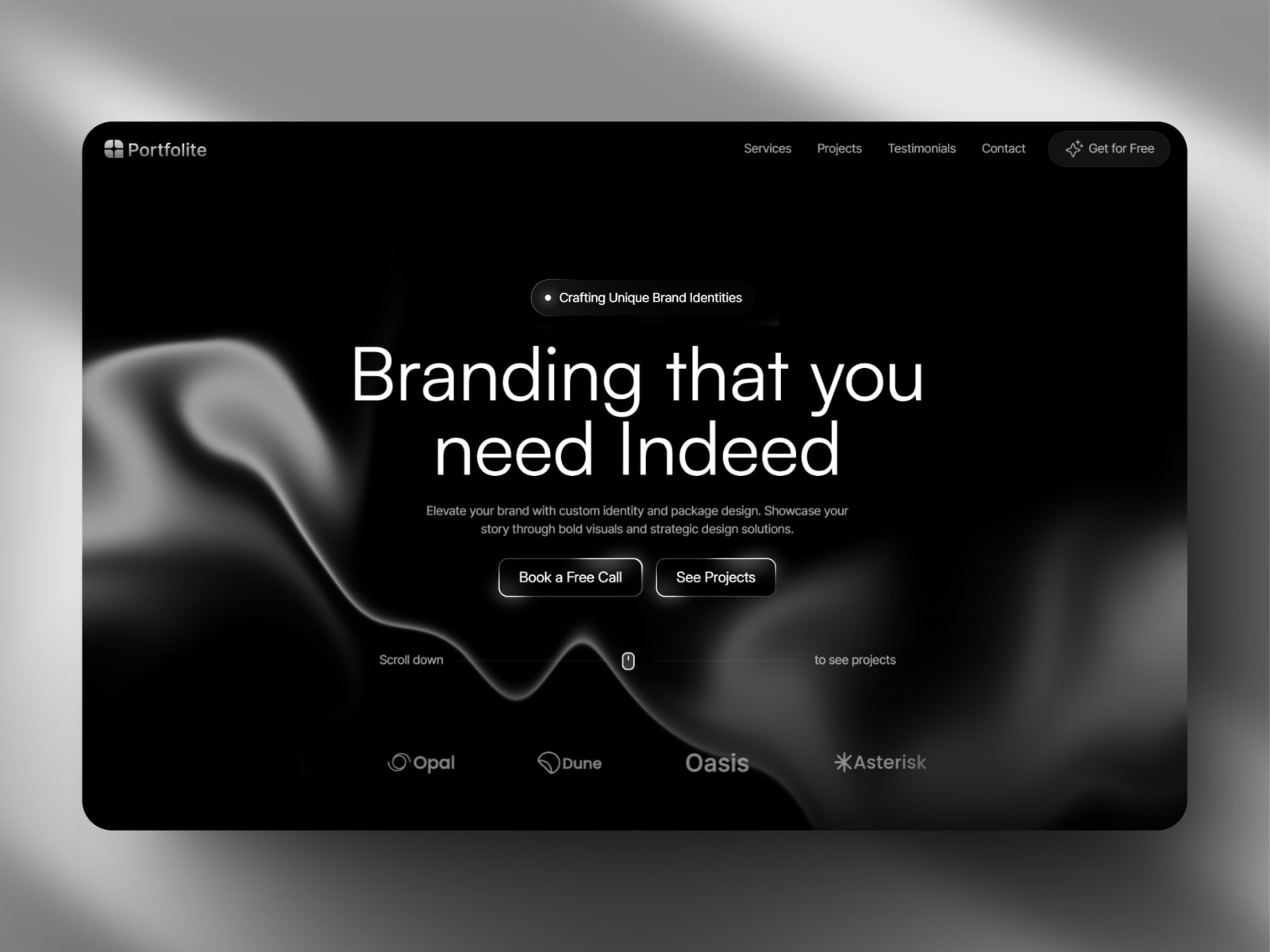
Free, pitched to work double duty — solo portfolio today, small agency front page tomorrow.
Best for: Solo creatives expecting to grow into a small studio.
4. Xtract — by Kanishk Dubey
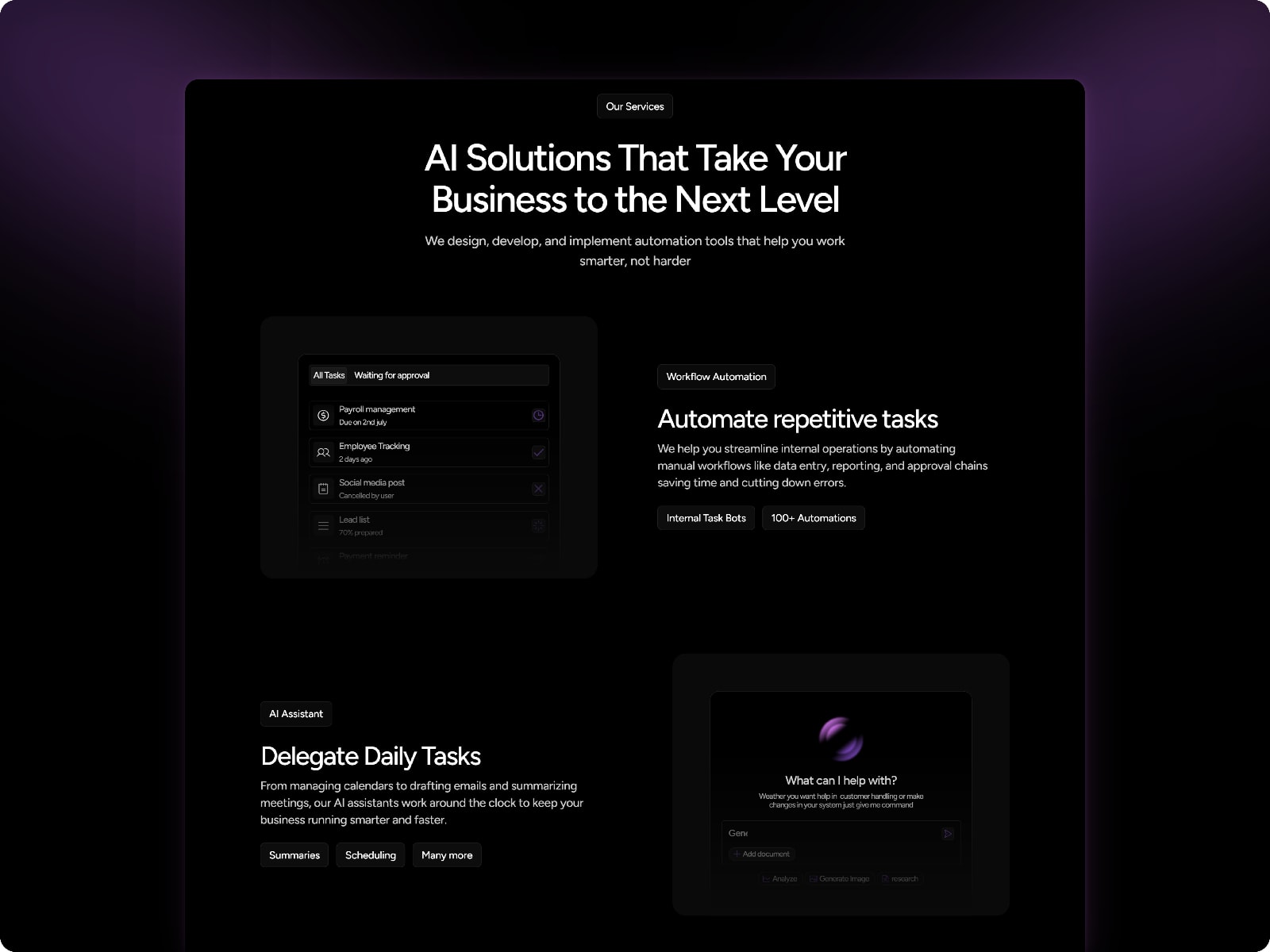
Free, tagged Agency, AI, and SaaS — a high-performance layout built for AI automation businesses, with SEO built in.
Best for: AI agencies and automation startups.
5. Radison — by Kanishk Dubey
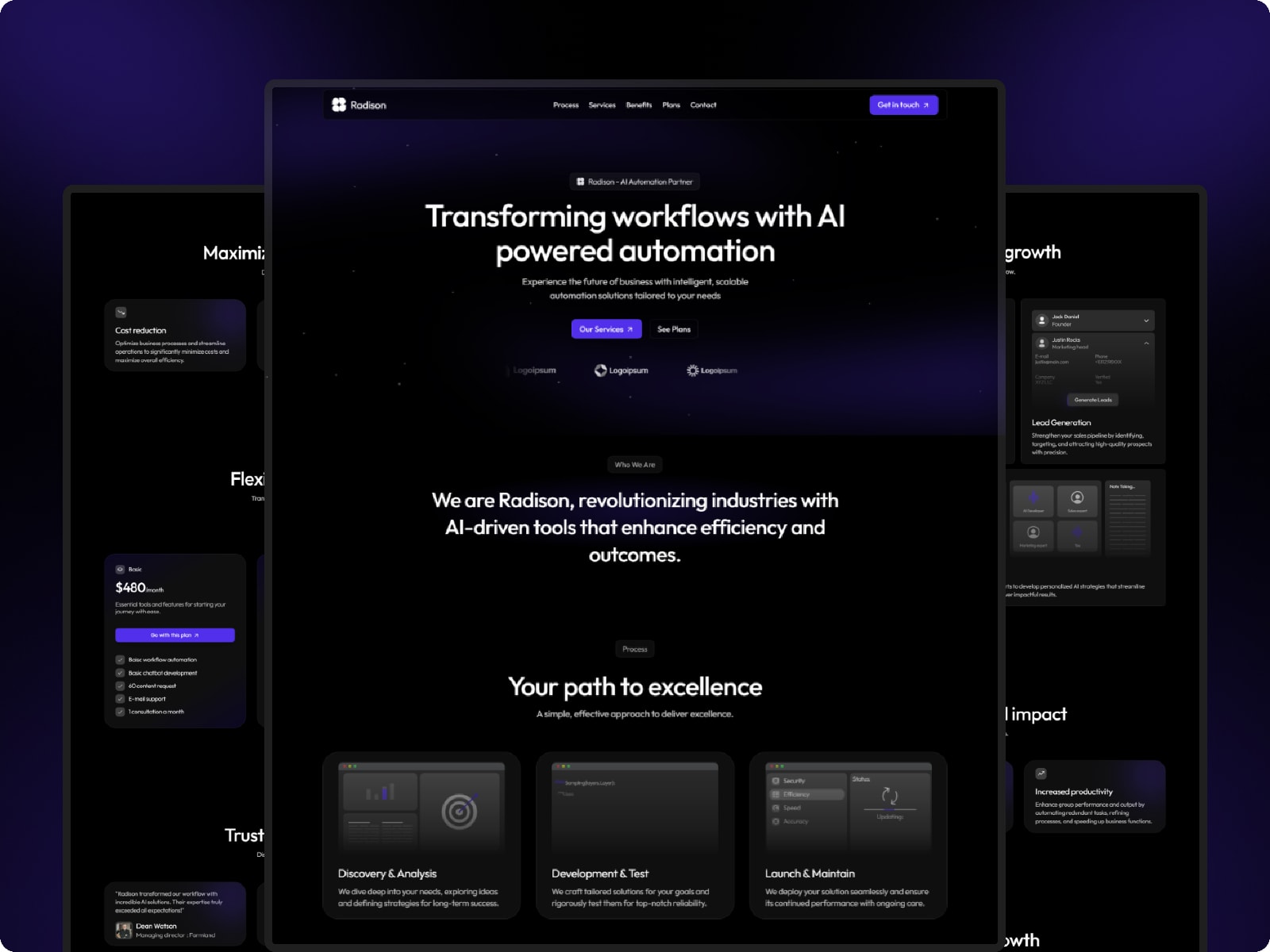
Free, with 104K+ views — a dark-theme AI automation agency template from the same creator as Xtract.
Best for: AI automation agencies wanting a dark, high-view-count free option.
6. PixelLab — by Kanishk Dubey
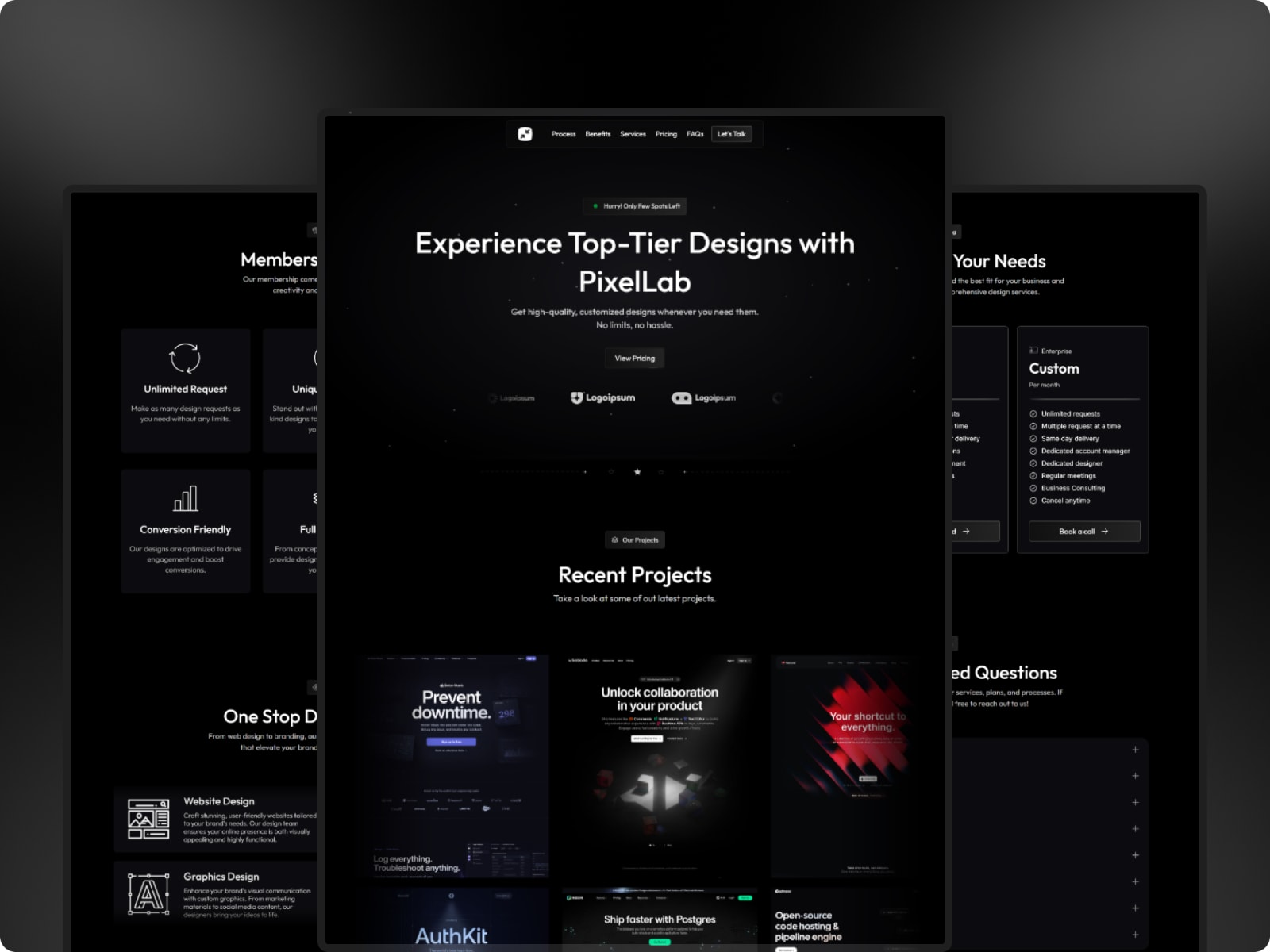
Free, built specifically for subscription-based agencies — leans into presenting recurring plans and a signup flow.
Best for: Agencies selling subscription or membership-style services.
7. Knotch — by Kanishk Dubey

Free, crafted for AI automation agencies and AI consultants specifically — a high-performance, dark layout.
Best for: AI consultants who need to look like an expert immediately.
8. Hypersonic — by Arun Space K

$68, an AI automation agency template built for technology consulting, digital transformation, and software development agencies.
Best for: Tech consulting and digital transformation agencies.
9. Aiagento — by Nazmul

$16, a sleek template for creators, businesses, and developers showcasing AI-powered projects — broader than the strictly agency-focused options above.
Best for: Individuals or small teams showcasing AI-powered work at a low price.
10. Virexon

$52. Part of the same AI-automation-agency cluster as Hypersonic and Xtract — dark, conversion-focused.
Best for: AI automation agencies wanting an alternative to Hypersonic at a lower price.
11. Godere® — by Fayzora
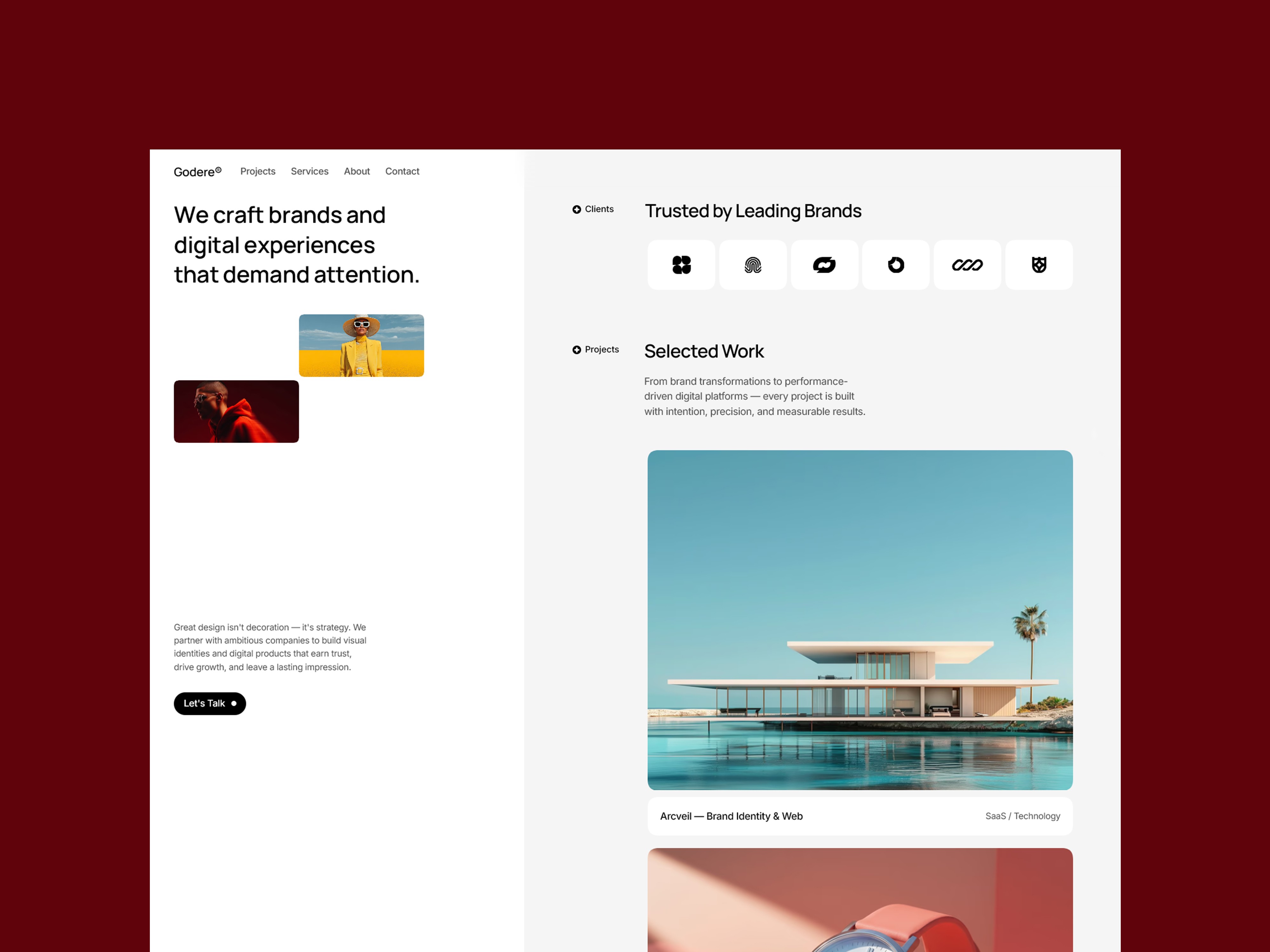
This one's ours. A cinematic split-scroll layout with a sticky left column, built for boutique studios that want their site to feel like an experience rather than a document — a third option outside the minimal and AI-agency directions above.
Best for: Boutique creative agencies wanting a bolder, non-AI-coded first impression.
How they compare
Template | Creator | Price | Best for |
|---|---|---|---|
Landio | Framebase | Free | Productized / AI-adjacent agencies |
Viper | Westhill Studio | Free | Proven, widely-used free base |
Portfolite | Framebase | Free | Solo creatives growing into a studio |
Xtract | Kanishk Dubey | Free | AI automation agencies |
Radison | Kanishk Dubey | Free | Dark-theme AI automation agencies |
PixelLab | Kanishk Dubey | Free | Subscription/membership agencies |
Knotch | Kanishk Dubey | Free | AI consultants |
Hypersonic | Arun Space K | $68 | Tech consulting agencies |
Aiagento | Nazmul | $16 | Low-cost AI project showcase |
Virexon | — | $52 | Alternative AI-agency positioning |
Godere® | Fayzora | Paid | Bold, cinematic, non-AI-coded agencies |
Frequently asked questions
Do I need to know how to code to use a Framer agency template?
No — every template here customizes directly inside Framer's visual editor.
Can I use a free Framer template for a paying client's project?
Generally yes, though license terms vary by creator — check before commercial use.
Why are there so many AI automation agency templates specifically?
It's become one of the fastest-growing template categories, since AI automation agencies are a genuinely new business type older general-purpose templates weren't built for.
How to choose
AI or automation-adjacent: Landio or Xtract. Proven, minimal, and free: Viper. Growing from solo to studio: Portfolite. Subscription-based agency: PixelLab. AI consulting specifically: Knotch. And if you want to step outside the AI-agency look entirely, Godere® is built for that.