The Best Framer Photography & Creative Portfolio Templates in 2026
Three Framer photography portfolio templates, free and premium, compared for photographers and visual creatives choosing between genre-flexible and mood-specific layouts.


A photo grid on Instagram is not a portfolio
Algorithms decide what a client sees on social media, and the order is never yours to control. Your own site is the one place you control the pacing and what gets the most room to breathe. A Framer photography template is built to let images carry that weight without any UI competing with them for attention.
1. Photolab — by Real Mehedi
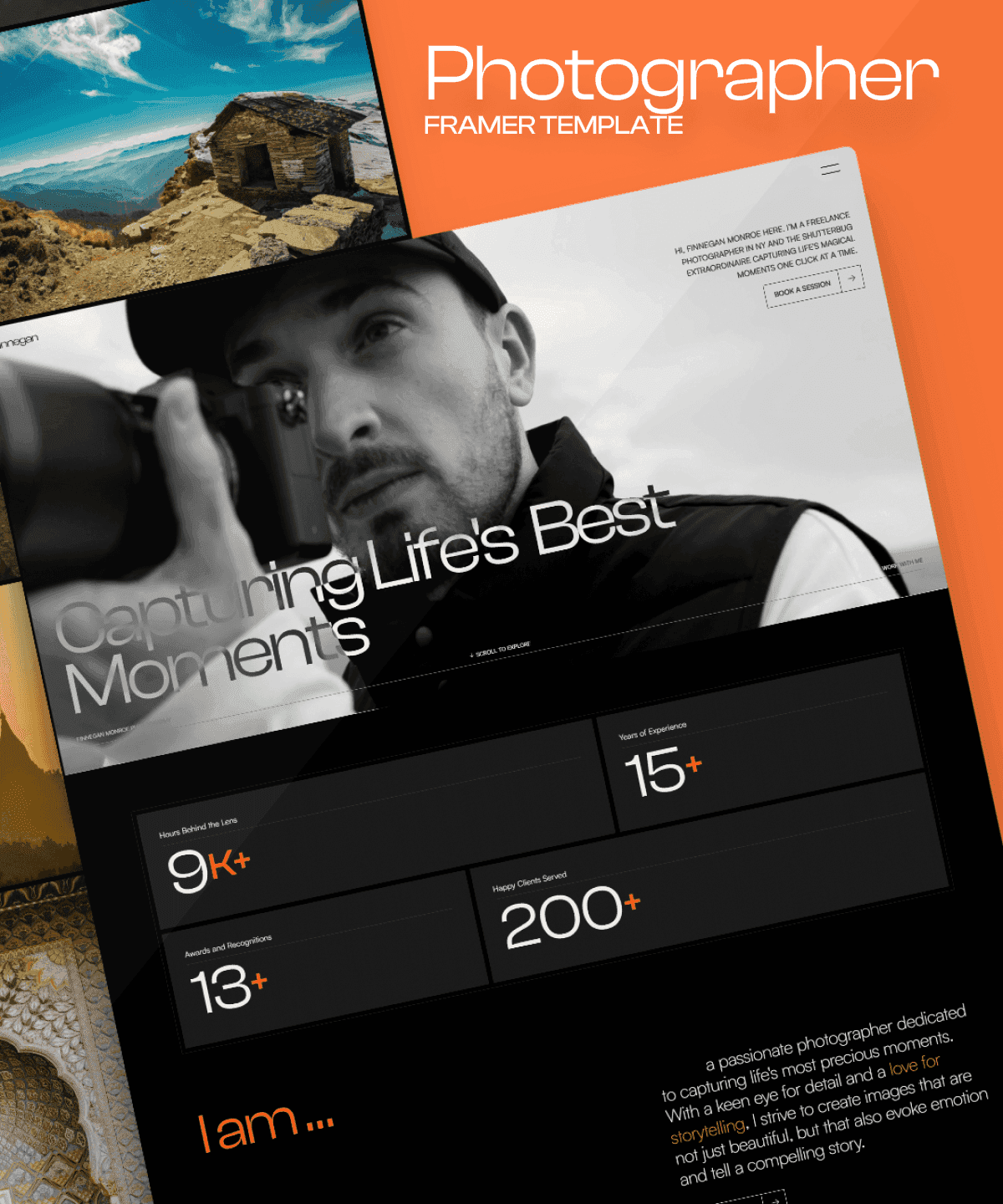
Photolab is a free template with over 76,000 views, built for photographers, videographers, and content creators across genres — wedding, travel, commercial, fine art. It includes an Albums page and blog on top of the core gallery, which matters if you shoot enough variety that one flat grid would flatten it all together.
Best for: Photographers who shoot across multiple genres and want one flexible site for all of it.
2. Looma — by Edward
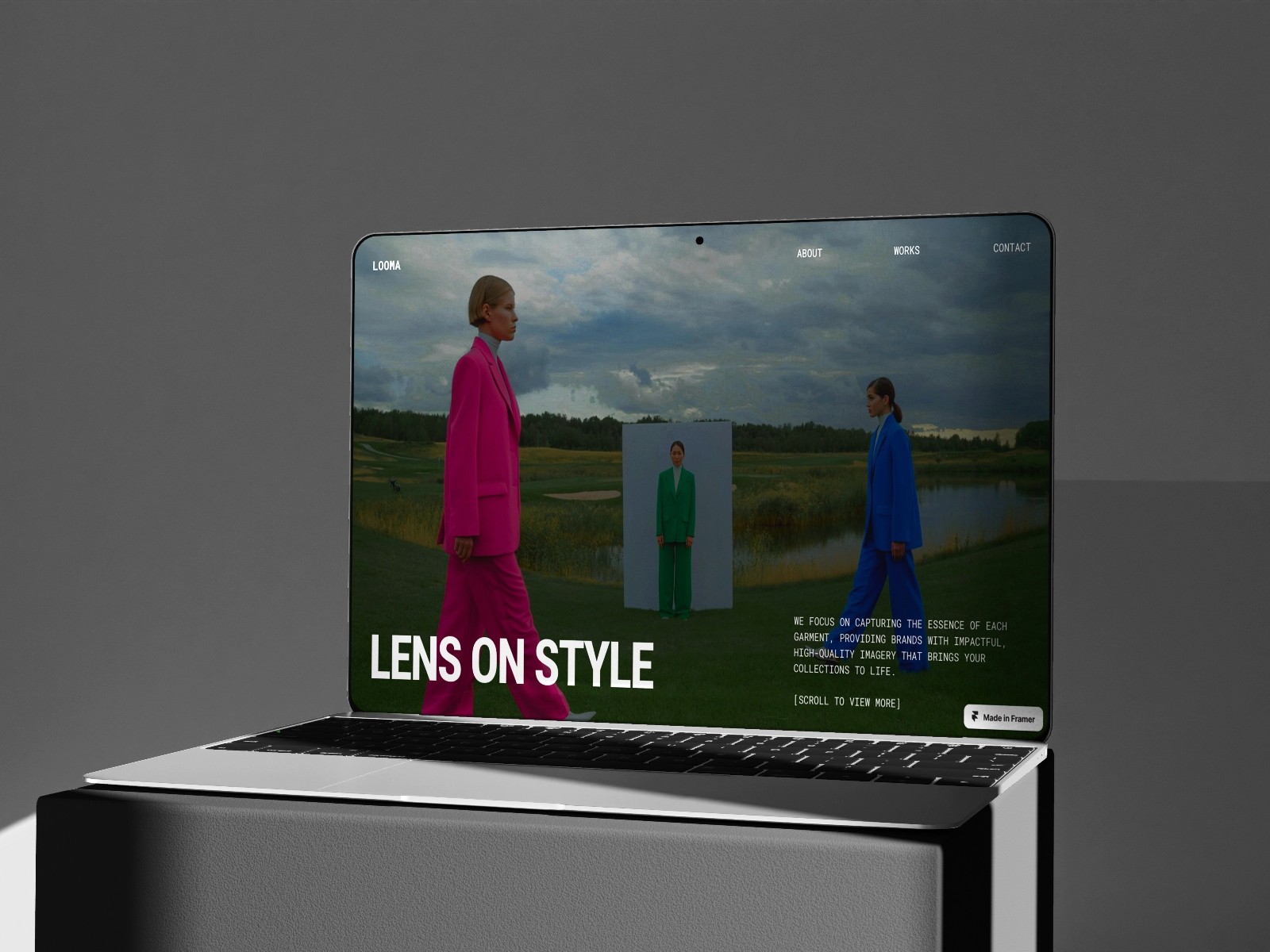
Looma is also free, dark, and more narrowly focused — built with fashion and editorial photography in mind, where a moodier, more minimal frame suits the work better than a bright, all-purpose layout. It carries nearly 30K views and covers photography, agency, and portfolio positioning in one template.
Best for: Fashion and editorial photographers who want a moodier, more minimal presentation.
3. Soryn® — by Fayzora
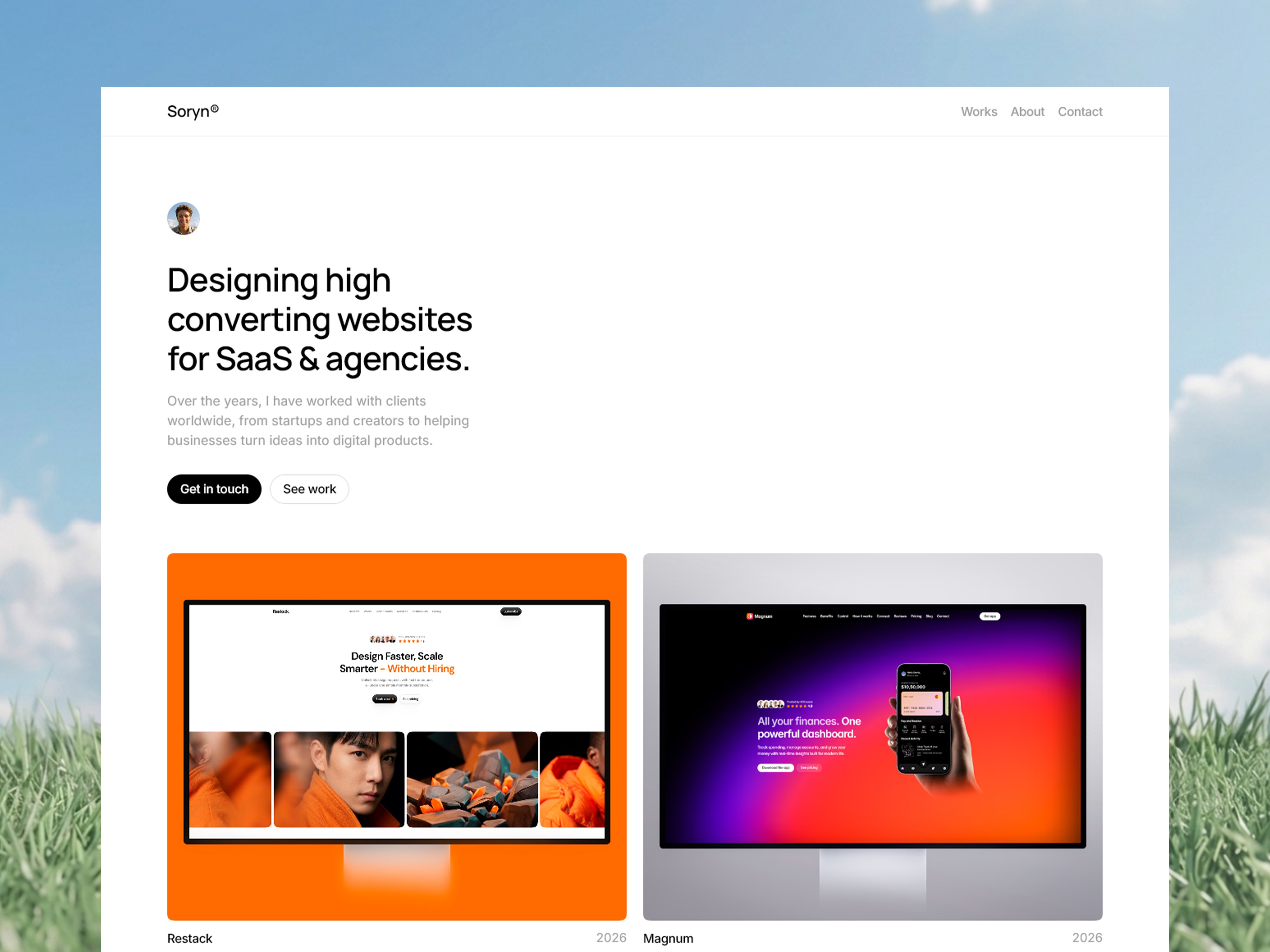
Ours, though built more broadly for visual creatives than photography alone. Soryn® adds a stronger case-study structure than either free option — useful if you need to walk a client through the story behind a shoot, not just show the final images, with a clean project grid and detailed case pages designed to guide visitors from first impression through to the work itself.
Best for: Creatives who want each project presented as a mini case study rather than a plain gallery.
How they compare
Template | Creator | Price | Best for |
|---|---|---|---|
Photolab | Real Mehedi | Free | Multi-genre photography |
Looma | Edward | Free | Fashion & editorial, moody presentation |
Soryn® | Fayzora | Paid | Case-study-style project pages |
Frequently asked questions
Do photography portfolio templates support high-resolution images without slowing the site down?
Yes — Framer handles image optimization and lazy-loading automatically across all three templates here, so large photography files don't tank load times the way they might on a manually-built site.
Should a photography portfolio be organized by genre or chronologically?
By genre, generally — clients searching for "wedding photographer" or "product photography" want to land on relevant work fast, which is why Photolab's Albums structure and Soryn®'s case-study pages both organize around project type rather than a single timeline.
Can I password-protect client galleries in these templates?
Framer supports page-level password protection as a platform feature, so yes — this can be added to any gallery page in any of the three templates for delivering private client previews.
How to choose
If you shoot across several genres, Photolab gives you the most flexible free base. If your work is fashion or editorial, Looma's darker mood fits better. And if you need to tell the story behind each shoot, not just display it, Soryn® is built for that.